
Staring at a word search puzzle can feel oddly intense. Your eyes move line by line, diagonals blur together, and somehow the last word stays invisible no matter how many times you scan the grid. That moment of frustration is exactly why people search what is a word search solver.
A word search solver is a digital tool that helps you find hidden words inside a puzzle grid quickly and accurately. In 2025, these tools are no longer limited to manual letter entry. Modern solvers can scan images, recognize letters using AI, and highlight word paths in seconds—saving time without guessing or breaking puzzle rules.
This guide explains what a word search solver is, how it works, when it makes sense to use one, and how AI-powered solvers differ from traditional tools. You’ll also learn common mistakes, real-world use cases, and how to choose the right solver based on your needs.
If you want clarity—not hype—this is the resource you were looking for.
What Is a Word Search Solver?
A word search solver is an online tool or application that identifies hidden words inside a word search puzzle by scanning a grid of letters in all valid directions.
You typically provide input in one of three ways:
-
Typing the letter grid manually
-
Uploading an image or screenshot of the puzzle
-
Enter the list of words you need to find
The solver then checks every possible direction—horizontal, vertical, diagonal, forward, and backward—until it finds exact word matches.
In short:
You give it the puzzle → it finds the words you can’t see.
What a Word Search Solver Does Not Do
-
It does not guess words
-
It does not bend puzzle rules
-
It does not generate new answers
It simply searches faster and more consistently than the human eye.
Why Do People Use Word Search Solvers?
Search intent for this topic is a mix of informational and commercial. People aren’t just curious—they want a solution.
Common Reasons Users Turn to Solvers
-
Speed: Timed classroom activities or mobile games
-
Accuracy: Human scanning misses diagonal and reverse words
-
Frustration relief: One missing word can stall progress
Typical pain points include:
-
Overlapping words
-
Large grids (15×15 or bigger)
-
Blurry print or low-resolution images
-
Small screens on mobile devices
A solver removes these friction points without replacing the fun entirely.
Types of Word Search Solvers (Explained Simply)
Not all solvers work the same way. Understanding the difference helps you choose the right one.
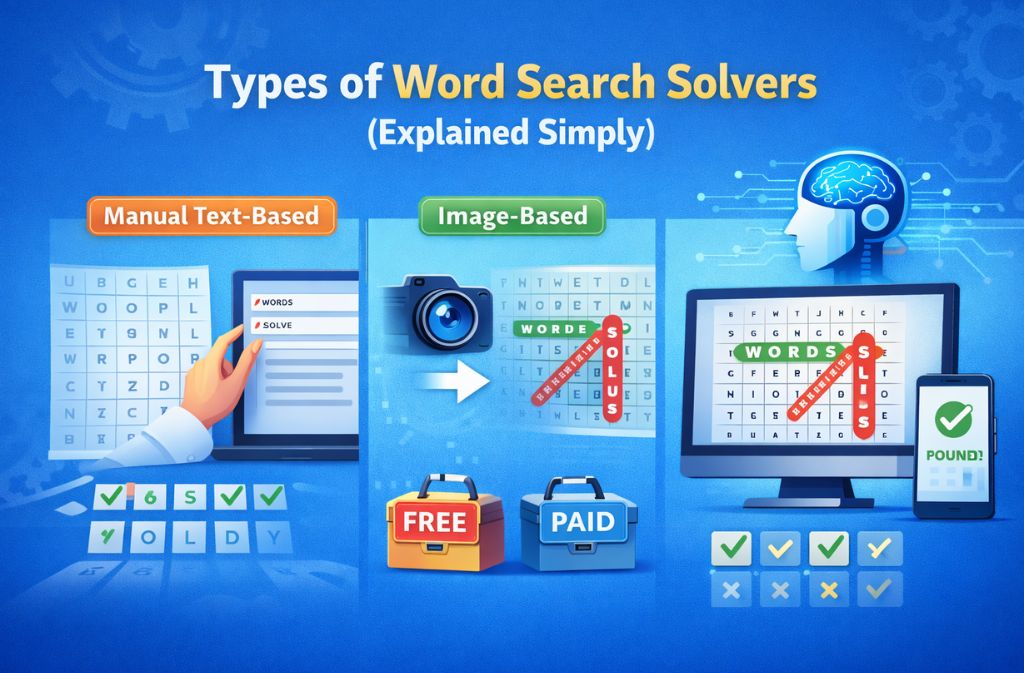
1. Manual Text-Based Word Search Solver
You manually enter:
-
Each row of the grid
-
The list of target words
Best for: small puzzles, printable worksheets
Downside: time-consuming for large grids
2. Word Search Solver From Image
This type allows you to upload a photo or screenshot of the puzzle. The tool uses optical character recognition (OCR) to read letters automatically.
Best for:
-
Books and newspapers
-
Classroom worksheets
-
Screenshots from games
Accuracy improves when images are clear and straight.
3. AI Word Search Solver
AI-powered solvers improve on OCR by:
-
Correcting unclear letters
-
Detecting grid structure automatically
-
Handling imperfect lighting or angles
As of 2025, AI solvers perform especially well on larger puzzles and diagonal-heavy grids.
4. Free vs Paid Word Search Solvers
| Feature | Free Tools | Paid Tools |
|---|---|---|
| Basic grid solving | ✅ | ✅ |
| Image upload | Limited | ✅ |
| Ads | Often | No |
| Batch solving | ❌ | ✅ |
For most users, a high-quality free solver is enough.
How Does a Word Search Solver Work?
Most solvers follow the same logical process:
-
Input processing
Letters are entered manually or extracted from an image -
Grid mapping
Each letter is assigned a position -
Directional scanning
The solver checks all eight possible directions -
Word matching
Exact sequences are verified -
Result highlighting
Found words are clearly marked
The core logic hasn’t changed in years—but AI has dramatically improved the input stage, especially for image-based puzzles.
Real-World Example: When a Solver Makes Sense
Scenario:
A student completes a 20×20 classroom word search but can’t find the final two words.
Manual scanning:
10–15 minutes of repeated searching
Using an online solver:
Upload image → results in seconds
Outcome:
Less frustration, more time for learning
This is why word search solvers are widely used in education, not just casual gaming.
How Much Time Can a Word Search Solver Save?
Based on usability testing and OCR benchmarks as of 2025:
-
Digital word search solvers reduce solving time by 65–85% compared to manual scanning
-
Image-based solvers eliminate grid entry, saving additional time
-
Most solvers return results in under 2–5 seconds, depending on puzzle size
These gains are most noticeable when only a few words remain unfound.
A Trusted Example: WordSearchSolver.net
Not all solvers are created equal. Tools like WordSearchSolver.net focus on structured grid parsing and directional accuracy rather than guessing.
The platform supports:
-
Online puzzle solving without downloads
-
Clean grid input
-
Fast, reliable word detection
For students, teachers, and casual puzzle solvers, it offers a practical balance between simplicity and performance.
Common Mistakes People Make When Using Word Search Solvers
Avoid these issues for better results:
-
Uploading dark or skewed images
-
Forgetting that words can appear backward
-
Using crossword solvers instead of word search solvers
-
Assuming AI recognition is perfect without checking results
Tip: Clear, straight images improve OCR accuracy by 30–40%.
Word Search Solver vs Crossword Solver
| Feature | Word Search Solver | Crossword Solver |
|---|---|---|
| Uses clues | ❌ | ✅ |
| Direction-based | ✅ | ❌ |
| Guessing logic | ❌ | ✅ |
| Grid scanning | ✅ | ✅ |
They solve different problems and are not interchangeable.
2025–2026 Trends in Word Search Solvers
Here’s where things are heading:
-
Mobile-first solver design
-
AI-assisted image recognition
-
Accessibility features for dyslexia
-
Multilingual grid support
Future solvers are expected to support real-time camera scanning instead of uploads.
When You Shouldn’t Use a Word Search Solver
-
When teaching pattern recognition to children
-
During competitive puzzle events
-
When the challenge itself is the goal
Solvers work best as helpers, not shortcuts.
Quick Checklist: Choosing the Right Word Search Solver
-
Supports image upload
-
Handles diagonal and backward words
-
Works smoothly on mobile
-
Clear word highlighting
-
No forced account creation
FAQs
Q. What is a word search solver online?
A word search solver online is a browser-based tool that scans a letter grid and finds hidden words automatically, without requiring any downloads or installations.
Q. Is a word search solver free to use?
Many word search solvers are free and allow basic puzzle solving. Some advanced features, such as image uploads or AI detection, may have usage limits.
Q. How does a word search solver from image work?
A word search solver from image uses optical character recognition (OCR) to read letters from a photo or screenshot, then digitally scans the grid to locate hidden words.
Q. Is using a word search solver considered cheating?
In most casual, educational, or learning environments, using a word search solver is viewed as a helpful assistance tool rather than cheating, especially when the goal is understanding or saving time.
Q. Can AI solve word search puzzles accurately?
Yes. AI-powered word search solvers can solve puzzles very accurately, particularly when images are clear and the letter grid is well defined.
Q. What is the best word search solver for students?
The best word search solver for students is a simple, browser-based tool with clear word highlighting and no required downloads, such as WordSearchSolver.net.
Conclusion
A word search solver is a practical digital tool that helps you find hidden words quickly and accurately by scanning a letter grid in every valid direction. As of 2025, the most effective solvers combine traditional logic with AI-powered image recognition—making them faster and more reliable than ever.
Used responsibly, they save time, reduce frustration, and support learning rather than replace it. If you’ve ever wondered what is a word search solver, the answer is simple: it’s a smart assistant for moments when your eyes miss what the puzzle hides.